LLM Providers
Supported LLM providers, routing types, and per-agent model configuration.
AgentDesk supports multiple LLM providers through a flexible routing system. Configure a default provider during setup and optionally override per agent.
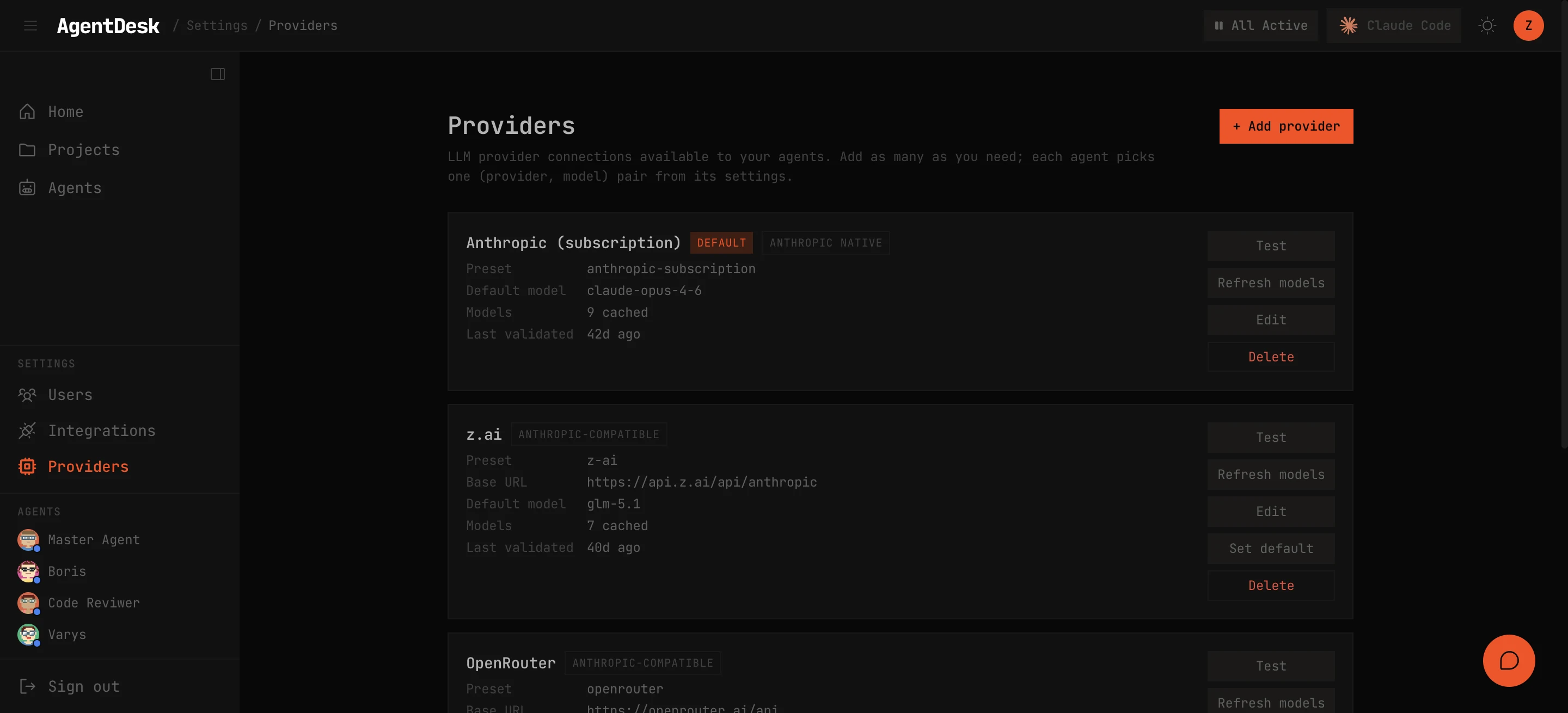
Supported Providers
| Preset | Routing Type | Description |
|---|---|---|
| Anthropic Subscription | anthropic-native | Claude Pro/Max subscription via OAuth |
| Anthropic API Key | anthropic-native | Direct API access with an API key |
| z.ai | anthropic-compat | Anthropic-compatible proxy |
| OpenRouter | anthropic-compat | Multi-provider router with Anthropic wire format |
| MiniMax | anthropic-compat | Anthropic-compatible endpoint |
| OpenAI | openai-compat | OpenAI API (GPT-4, etc.) |
| Custom | Configurable | Any endpoint — pick the routing type |
Routing Types
The routing type determines how AgentDesk communicates with the provider:
anthropic-native
Direct connection to api.anthropic.com. Uses ANTHROPIC_API_KEY or CLAUDE_CODE_OAUTH_TOKEN (for subscription OAuth). Full support for all Claude features: streaming, tools, thinking, images, prompt caching.
anthropic-compat
Anthropic wire format sent to a custom base URL. Used by z.ai, OpenRouter, and MiniMax. Sets ANTHROPIC_AUTH_TOKEN and ANTHROPIC_BASE_URL in the SDK environment.
openai-compat
OpenAI-compatible endpoints. AgentDesk runs a local translator proxy that converts Anthropic SDK requests to OpenAI format using HMAC-signed routing tokens. This lets the Claude Code SDK work with any OpenAI-compatible provider.
Per-Agent Configuration
Each agent can be pinned to a specific provider and model:
- Open the agent’s settings
- Select a provider from the dropdown
- Choose a model from the provider’s model catalog
- Save — the agent uses this configuration for all future turns
Agents without a provider override use the global default.
Credential Security
Provider API keys are encrypted at rest using AES-256-GCM. The encryption key is stored in ~/.agent-desk/.env and generated during agdesk setup. Keys are decrypted only at the moment they’re needed to spawn an SDK session.
Model Catalog
Each provider has a model catalog — either a static whitelist or dynamically fetched from the provider’s /models endpoint. The catalog populates the model dropdown in the agent settings UI.